
Skip to content

Where your offer appears

Offers live inside each association's member portal, behind the member sign-in, so they don't appear on the public web. These screenshots show exactly what members see.

Screenshots from our demo portal. The association, vendors and offers in them are fictional.

The offers catalogue

Members browse offers by department and category, under their association's brand. Your offer carries your company name and logo. The commission disclosure sits under the page title.
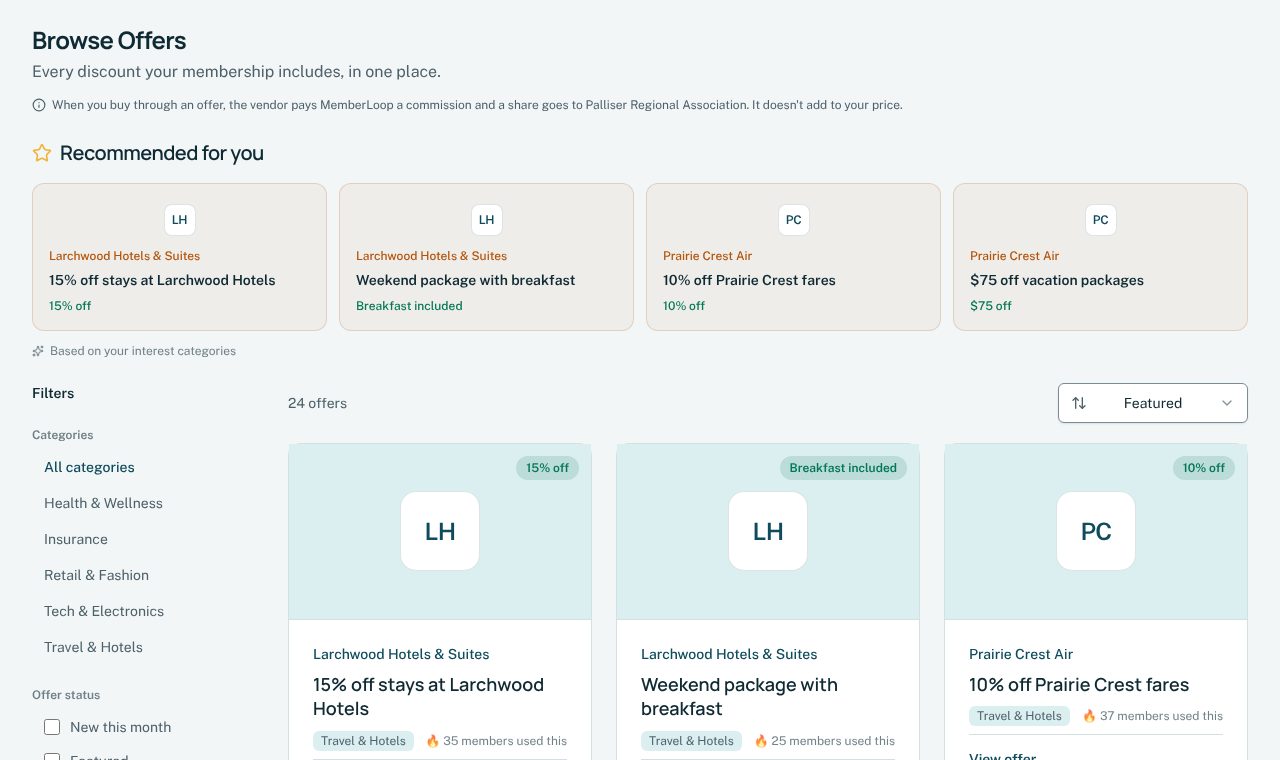
The offers catalogue in an association's member portal, with the commission disclosure under the page title, recommended offers and a grid of vendor offers.

Your offer page

Each offer has its own page with your description, terms and end date. Get Discount sends the member to your site through your network's tracking link, and the disclosure sits beside the button.
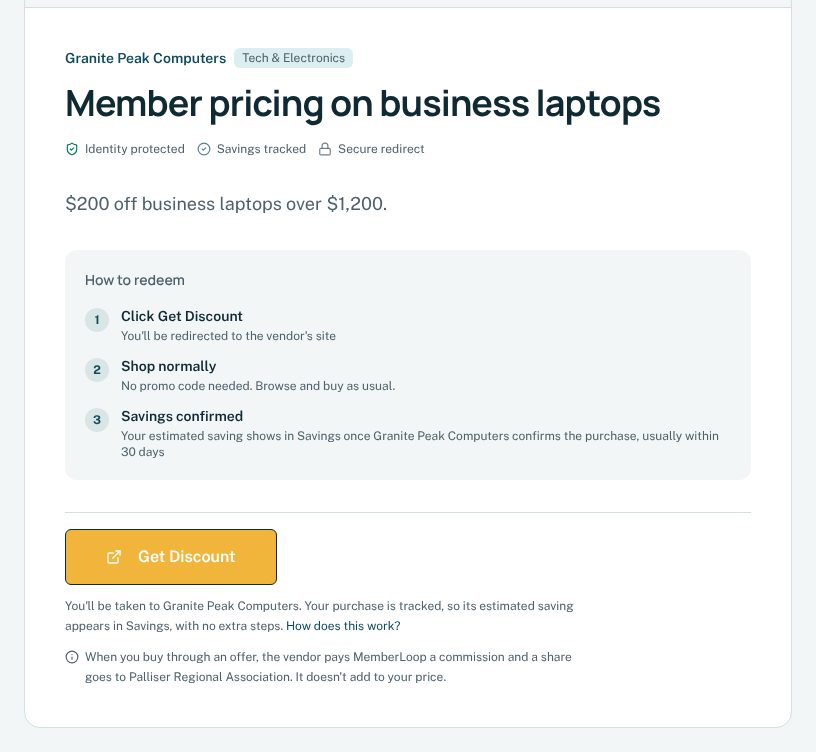
An offer page showing the vendor name, the offer title and description, how to redeem, the Get Discount button and the commission disclosure.

On a phone

Portals work the same on phones, with the disclosure beside the button and in the footer of every page.
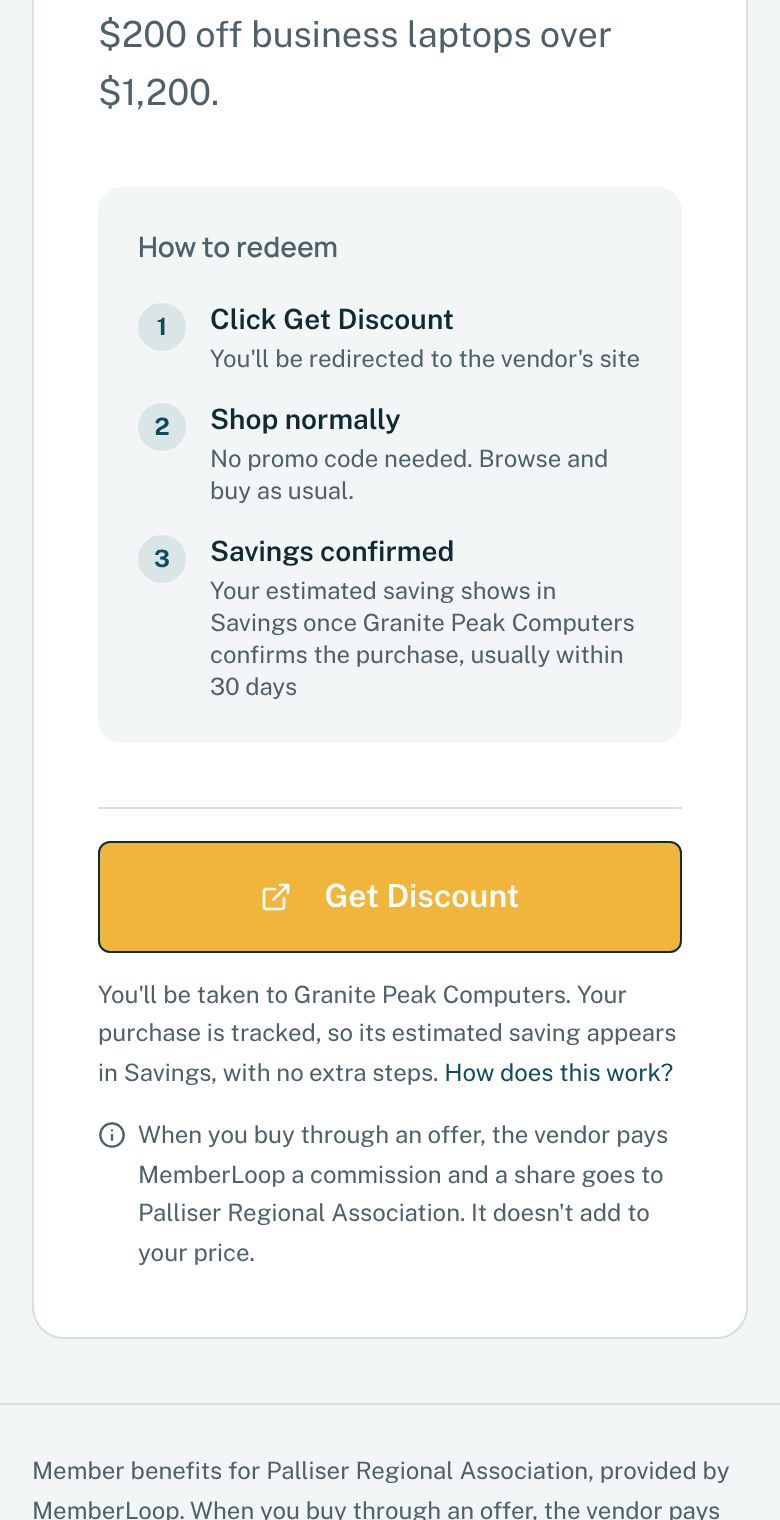
The same offer page on a phone, with the Get Discount button and the commission disclosure.

How members find your offer

We don't buy ads or post codes on public sites. Members reach your offer through their own association, in these ways.

The offers catalogue
Your offer sits in each association's portal by category, and comes up when members search.
Featured by the association
Associations choose offers to feature at the top of their portal, and can include them in the member emails they send through MemberLoop.
The launch kit
When an association launches, it announces the program to its members with ready-made emails, newsletter blocks, social graphics and a poster, under its own name.
Recommended to each member
Members who choose their interests see matching offers recommended to them. Those who opted in also get a notice when a new offer in their categories goes live.
Before it ends
Members who opted in and opened your offer get a reminder in the week before it ends.
Sponsored placement
Only if you book it: a featured panel at the top of the offers page, always labelled Sponsored.

What reviewers usually ask

Who sees your offer
Members of Canadian professional and trade associations, signed in through their own association.
Public codes
None. Offers and any member codes stay behind the member sign-in and are never posted to coupon or code-sharing sites.
Tracking
Your network's tracking link, with a click reference (sub-ID) that never contains a member's name, email or other personal information.
Disclosure
Under the offers page title, beside every Get Discount button and in the footer of every portal page.
Paid placement
Only if you book it, and always labelled Sponsored.
Languages
English and French.

See the demo portal

Browse the demo portal as a member would, with no sign-up. It's read-only, and the association, vendors and offers in it are fictional.

Partner network terms

Have an offer members would use?

Tell us about it. We reply to every application within 3 business days.